Wall mount
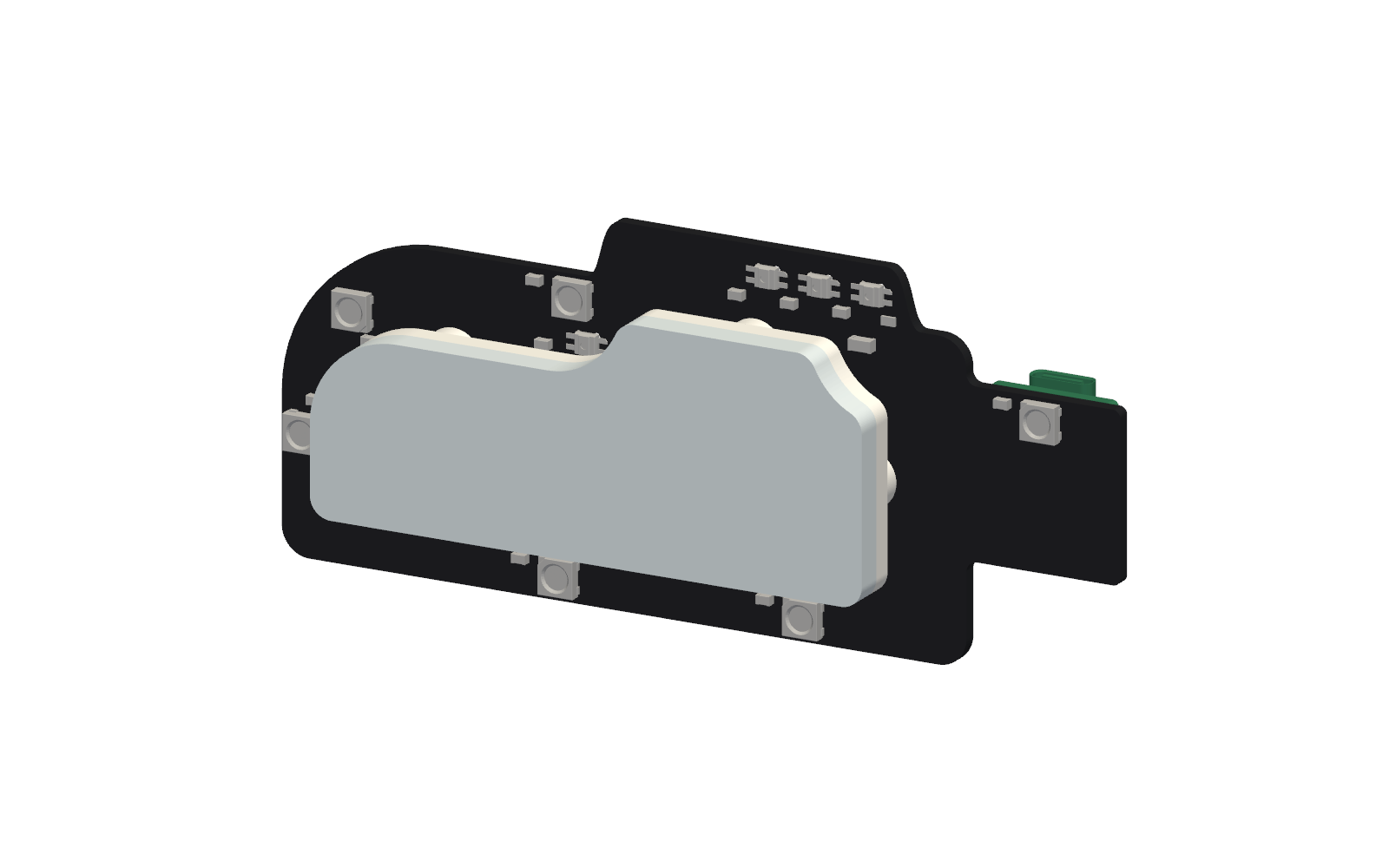
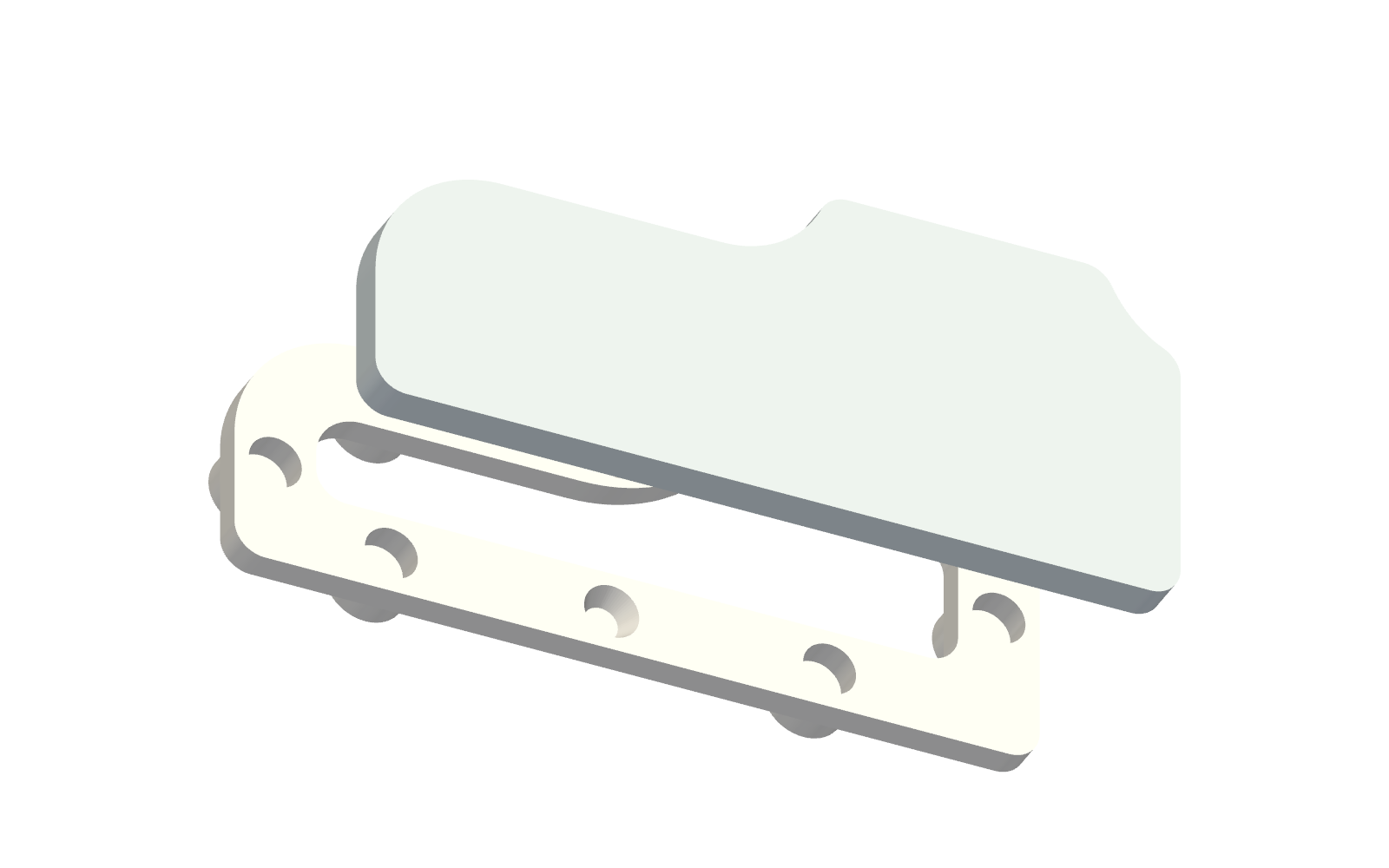
Hangs PlancH on a wall, a cupboard door or any flat vertical surface. Two printed parts held together by magnets: a ring bracket glued behind the board in place of the rubber feet, and a base stuck to the wall with removable adhesive strips. The board snaps on and pulls off by hand, and the backlight LEDs shine on the wall around it.
3D View
Inspect the two parts on the wall, or show the board hanging on them. With the board shown you can also switch on the LEDs: the backlight lights up the wall around the board.
LEDs:
What you need
| Item | Quantity | Notes |
|---|---|---|
| Printed bracket and base | 1 + 1 | PLA, see below |
| Neodymium disc magnets Ø 5 × 3 mm | 12 | N35 or stronger: six in the bracket, six in the base |
| Double-sided VHB dots Ø 8 mm, 1 mm thick | 6 | Clear acrylic foam, for example 3M 4910; sold pre-cut |
| Removable adhesive strips | 2 | 3M Command Small (about 44 × 16 mm) or similar |
| Cyanoacrylate glue | — | For the magnets |
Files
| File | Use |
|---|---|
planch-wall-bracket.3mf |
Bracket, ready for Bambu Studio / PrusaSlicer, already oriented |
planch-wall-base.3mf |
Base, ready for Bambu Studio / PrusaSlicer, already oriented |
planch-wall-bracket.stl, planch-wall-base.stl |
Any slicer (GitHub shows them in 3D) |
planch-wall-bracket.step, planch-wall-base.step |
CAD |
parete.py |
Parametric source (build123d) |
Printing
- Material: PLA, about 15 g for both parts.
- Orientation: the face that goes towards the wall on the bed, as in the 3MF files. No supports needed.
- Colour: white or light PLA for the base: it sits in the backlight and reflects it.
Assembly
- Magnets in the base. Glue the six magnets in the seats of the base with a drop of cyanoacrylate, all with the same pole facing out: stack them on each other first and take them one by one from the same end of the stack.
- Magnets in the bracket. Put a second magnet on top of each magnet of the base: it turns itself the right way. Put a small drop of glue on top of each, lower the bracket onto them (the two cones of the base guide it) and let the glue set. When you pull the bracket off, its magnets come with it, with the right polarity.
- Bracket on the board. Remove the rubber feet and clean the back with isopropyl alcohol. Stick a VHB dot on each of the six round pads of the bracket, then press the bracket on the back of the board, centred on the main body: it follows the outline at the same distance all around, and the module tab stays free. Hold it pressed for 30 seconds.
- Base on the wall. Stick the two adhesive strips horizontally on the flat back of the base, with the pull tabs facing down. Press the base on a clean wall for 30 seconds, using a spirit level. Leave 45 mm free above the board: the USB-C plug comes out of the top edge of the module tab.
- Board on the base. Bring the board close: the cones centre it and the magnets pull it in.
To take it down, pull the board straight off the wall; then pull the tabs of the strips slowly down along the wall. To put the board back on the desk stand, cut the VHB dots with fishing line or dental floss (a little warmth from a hair dryer helps) and stick new rubber feet.
Design
| Parameter | Value |
|---|---|
| Shape | Board outline, 9.5 mm in from the edge of the main body |
| Bracket | 8 mm wide ring, 3 mm thick, six Ø 8 mm pads 2.4 mm high |
| Base | Same shape, solid, 4 mm thick, flat back |
| Centring | Two cones Ø 5 → 3 mm, 2 mm high, with 0.2 mm clearance |
| Board to wall | 10.4 mm |
| Overall size | 79 × 33 mm |
- The pads sit where the back of the board has no components; the ring clears the parts on the back (up to 1.8 mm high) by 1.6 mm.
- All six backlight LEDs are outside the bracket and the base, so they light the wall.
- The script checks both conditions every time it builds the model.
Adapting it
To change the clearances, the thickness or the distance from the edge, regenerate the model with uv from the repository root:
cd mechanical/wall-mount
uv run --no-project --python 3.12 --with build123d --with shapely python parete.py \
    --board ../../production/planch.step --out .
The script writes parete-staffa (bracket) and parete-base (base) as STL, 3MF and STEP
("parete" is Italian for "wall", "staffa" for "bracket").